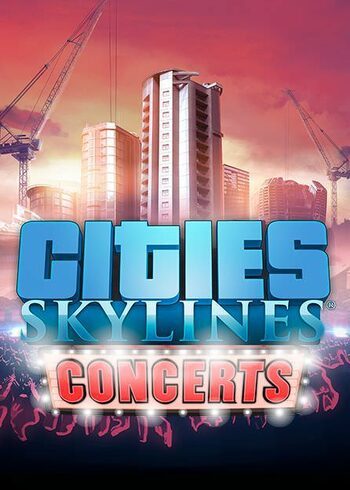
Cities: Skylines – Concerts DLC

Cities: Skylines – Concerts DLC

Cities: Skylines - Concerts Steam Game Full Digital Cover DLC
Set Lowest Price Alert
×
Notify me, when price drops
Set Alert for Product: Cities: Skylines - Concerts - $3.12

PLATFORM

PC Steam

REGION

Region Free

GAME INFO

RELEASE DATE:

17 Aug, 2017

DEVELOPER:

Matt Crux

PUBLISHER:

Paradox Interactive

GENRE:

Simulation, Strategy

FOR AGES:

Cities: Skylines - Concerts Steam Game Full Digital Cover DLC

PLATFORM

PC Steam

REGION

Region Free
Set Lowest Price Alert
×
Notify me, when price drops
Set Alert for Product: Cities: Skylines - Concerts - $3.12

GAME INFO

RELEASE DATE:

17 Aug, 2017

DEVELOPER:

Matt Crux

PUBLISHER:

Paradox Interactive

GENRE:

Simulation, Strategy

FOR AGES:

  • INFORMATION
  • SYSTEM REQUIREMENTS
  • KEY ACTIVATION

Cities: Skylines Concerts DLC Steam Description

What’s included in Cities: Skylines Concerts DLC?

New music from in-game bands

NESTOR, Elijha MOTi, and Lily La Roux add their musical gifts to the Cities: Skylines soundtrack via the new music-focused radio station “Live”. 100% music with no interruptions!


New Festival Area Building

Level-up your festival grounds to accommodate better shows and bigger crowds.


New Music Related Buildings

Bring the music downtown with the new Music Club, spread the word about upcoming concerts with the new media broadcast building, and hang out at the Fan Zone Area to get your festival-related merch.


Concert-focused City Ordinances

Support your festival ambitions with new laws and budget options to promote concerts and monetize the crowds.

  •  

Minimum system requirements

  • System requirements: Microst Windows XP/Vista/7/8/8.1 (64-bit)
  • Processor: Intel Core 2 Duo, 3.0GHz or AMD Athlon 64 X2 6400+, 3.2GHz
  • Memory: 4 GB RAM
  • Graphics: nVIDIA GeForce GTX 260, 512 MB or ATI Radeon HD 5670, 512 MB
  • Storage: 4 GB


Recommended system requirements

  • System requirements: Microst Windows 7/8 (64-bit)
  • Processor: Intel Core i5-3470, 3.20GHz or AMD FX-6300, 3.5Ghz
  • Memory: 6 GB RAM
  • Graphics: nVIDIA GeForce GTX 660, 2 GB or AMD Radeon HD 7870, 2 GB
  • Storage: 4 GB

Activating a CD Key on Steam

Please follow these instructions to activate a new retail purchase on Steam:

1. Launch the Steam client software and log into your Steam account.

2. Click the Games Menu.

3. Choose Activate a Product on Steam...

4. Follow the onscreen instructions to complete the process.

Cities: Skylines - Concerts Steam Game Full Digital Cover DLC

TYPE

DLC

PLATFORM

PC Steam

REGION

Region Free
Set Lowest Price Alert
×
Notify me, when price drops
Set Alert for Product: Cities: Skylines - Concerts - $3.12

GAME INFO

RELEASE DATE:

17 Aug, 2017

DEVELOPER:

Matt Crux

PUBLISHER:

Paradox Interactive

GENRE:

Simulation, Strategy

FOR AGES:

  • INFORMATION
  • SYSTEM REQUIREMENTS
  • KEY ACTIVATION

Cities: Skylines Concerts DLC Steam Description

What’s included in Cities: Skylines Concerts DLC?

New music from in-game bands

NESTOR, Elijha MOTi, and Lily La Roux add their musical gifts to the Cities: Skylines soundtrack via the new music-focused radio station “Live”. 100% music with no interruptions!


New Festival Area Building

Level-up your festival grounds to accommodate better shows and bigger crowds.


New Music Related Buildings

Bring the music downtown with the new Music Club, spread the word about upcoming concerts with the new media broadcast building, and hang out at the Fan Zone Area to get your festival-related merch.


Concert-focused City Ordinances

Support your festival ambitions with new laws and budget options to promote concerts and monetize the crowds.

  •  

Minimum system requirements

  • System requirements: Microst Windows XP/Vista/7/8/8.1 (64-bit)
  • Processor: Intel Core 2 Duo, 3.0GHz or AMD Athlon 64 X2 6400+, 3.2GHz
  • Memory: 4 GB RAM
  • Graphics: nVIDIA GeForce GTX 260, 512 MB or ATI Radeon HD 5670, 512 MB
  • Storage: 4 GB


Recommended system requirements

  • System requirements: Microst Windows 7/8 (64-bit)
  • Processor: Intel Core i5-3470, 3.20GHz or AMD FX-6300, 3.5Ghz
  • Memory: 6 GB RAM
  • Graphics: nVIDIA GeForce GTX 660, 2 GB or AMD Radeon HD 7870, 2 GB
  • Storage: 4 GB

Activating a CD Key on Steam

Please follow these instructions to activate a new retail purchase on Steam:

1. Launch the Steam client software and log into your Steam account.

2. Click the Games Menu.

3. Choose Activate a Product on Steam...

4. Follow the onscreen instructions to complete the process.

  • INFORMATION
  • SYSTEM REQUIREMENTS
  • KEY ACTIVATION

Cities: Skylines Concerts DLC Steam Description

What’s included in Cities: Skylines Concerts DLC?

New music from in-game bands

NESTOR, Elijha MOTi, and Lily La Roux add their musical gifts to the Cities: Skylines soundtrack via the new music-focused radio station “Live”. 100% music with no interruptions!


New Festival Area Building

Level-up your festival grounds to accommodate better shows and bigger crowds.


New Music Related Buildings

Bring the music downtown with the new Music Club, spread the word about upcoming concerts with the new media broadcast building, and hang out at the Fan Zone Area to get your festival-related merch.


Concert-focused City Ordinances

Support your festival ambitions with new laws and budget options to promote concerts and monetize the crowds.

  •  

Minimum system requirements

  • System requirements: Microst Windows XP/Vista/7/8/8.1 (64-bit)
  • Processor: Intel Core 2 Duo, 3.0GHz or AMD Athlon 64 X2 6400+, 3.2GHz
  • Memory: 4 GB RAM
  • Graphics: nVIDIA GeForce GTX 260, 512 MB or ATI Radeon HD 5670, 512 MB
  • Storage: 4 GB


Recommended system requirements

  • System requirements: Microst Windows 7/8 (64-bit)
  • Processor: Intel Core i5-3470, 3.20GHz or AMD FX-6300, 3.5Ghz
  • Memory: 6 GB RAM
  • Graphics: nVIDIA GeForce GTX 660, 2 GB or AMD Radeon HD 7870, 2 GB
  • Storage: 4 GB

Activating a CD Key on Steam

Please follow these instructions to activate a new retail purchase on Steam:

1. Launch the Steam client software and log into your Steam account.

2. Click the Games Menu.

3. Choose Activate a Product on Steam...

4. Follow the onscreen instructions to complete the process.

Exclusive Newsletter

Exclusive Newsletter

ANYCDKEY
Logo