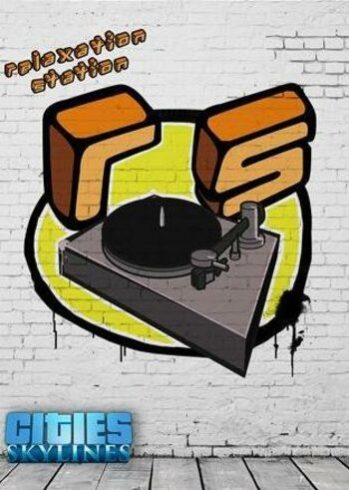
Cities: Skylines – Relaxation Station DLC

Cities: Skylines – Relaxation Station DLC

Cities: Skylines - Relaxation Station Steam Game Full Digital Cover DLC

PLATFORM

PC Steam

REGION

Region Free

GAME INFO

RELEASE DATE:

29 Nov, 2016

DEVELOPER:

Matt Crux

PUBLISHER:

Paradox Interactive

GENRE:

Simulation, Strategy

FOR AGES:

GAME INFO

RELEASE DATE:

29 Nov, 2016

DEVELOPER:

Matt Crux

PUBLISHER:

Paradox Interactive

GENRE:

Simulation, Strategy

FOR AGES:

  • INFORMATION
  • SYSTEM REQUIREMENTS
  • KEY ACTIVATION

Cities: Skylines Relaxation Station DLC Steam Description


What’s included in Cities: Skylines Relaxation Station DLC?


Take the stress out of your streets and relax while you re-district in this first-ever music pack for Cities: Skylines, featuring over an hour of original music for use with the in-game radio stations composed by Tobias Gustavsson, composer of popular music packs for Europa Universalis IV and Crusader Kings II. Listen to Soothing jazz, lounge music, groove music, or even pleasant Caribbean vibes in between savy radio host Jason. You might also come across a commercial or two for your favorite food chain or Insurance provider. So tune in, kick back, and let our in-game DJ spin the relaxing playlist for your listening pleasure.


Relaxation Station includes the following tracks:

  • 1. Incontro – White Nuckle Sadness
  • 2. Incontro – Cantaloopia
  • 3. Cosmic Magnolia – Solar Sister
  • 4. Cosmic Magnolia – Fluxus
  • 5. The Rhyme Experience – Airglow
  • 6. Le Chet Noir – Bouganvillea Maintheme
  • 7. Le Chet Noir – Boutique Uniq
  • 8. Latin Eleganza – A Dawn Away
  • 9. Latin Eleganza – Pretty Skies
  • 10. Ladies Chill – The Royal Bahamas
  • 11. Penalonia – Love to go
  • 12. Penalonia – The Calm
  • 13. Penalonia – Bathwater
  • 14. Lock Stoch And The!° – Next Stop Horizon
  • 15. Scarified – Normilazations
  • 16. Café Salou – Balaeric Nights
  • 17. Café Salou – Calma Redemtion
  • 18. Subconsious Mindflower – Lucidity
  • 19. Subconsious Mindflower – Big Thrill
  • 20. Locomotive Ambience – Emoticon
  •  

Minimum system requirements

  • System requirements: Microst Windows XP/Vista/7/8/8.1 (64-bit)
  • Processor: Intel Core 2 Duo, 3.0GHz or AMD Athlon 64 X2 6400+, 3.2GHz
  • Memory: 4 GB RAM
  • Graphics: nVIDIA GeForce GTX 260, 512 MB or ATI Radeon HD 5670, 512 MB
  • Storage: 4 GB


Recommended system requirements

  • System requirements: Microst Windows 7/8 (64-bit)
  • Processor: Intel Core i5-3470, 3.20GHz or AMD FX-6300, 3.5Ghz
  • Memory: 6 GB RAM
  • Graphics: nVIDIA GeForce GTX 660, 2 GB or AMD Radeon HD 7870, 2 GB
  • Storage: 4 GB

Activating a CD Key on Steam

Please follow these instructions to activate a new retail purchase on Steam:

1. Launch the Steam client software and log into your Steam account.

2. Click the Games Menu.

3. Choose Activate a Product on Steam...

4. Follow the onscreen instructions to complete the process.

Cities: Skylines - Relaxation Station Steam Game Full Digital Cover DLC

TYPE

DLC

PLATFORM

PC Steam

REGION

Region Free

GAME INFO

RELEASE DATE:

29 Nov, 2016

DEVELOPER:

Matt Crux

PUBLISHER:

Paradox Interactive

GENRE:

Simulation, Strategy

FOR AGES:

  • INFORMATION
  • SYSTEM REQUIREMENTS
  • KEY ACTIVATION

Cities: Skylines Relaxation Station DLC Steam Description


What’s included in Cities: Skylines Relaxation Station DLC?


Take the stress out of your streets and relax while you re-district in this first-ever music pack for Cities: Skylines, featuring over an hour of original music for use with the in-game radio stations composed by Tobias Gustavsson, composer of popular music packs for Europa Universalis IV and Crusader Kings II. Listen to Soothing jazz, lounge music, groove music, or even pleasant Caribbean vibes in between savy radio host Jason. You might also come across a commercial or two for your favorite food chain or Insurance provider. So tune in, kick back, and let our in-game DJ spin the relaxing playlist for your listening pleasure.


Relaxation Station includes the following tracks:

  • 1. Incontro – White Nuckle Sadness
  • 2. Incontro – Cantaloopia
  • 3. Cosmic Magnolia – Solar Sister
  • 4. Cosmic Magnolia – Fluxus
  • 5. The Rhyme Experience – Airglow
  • 6. Le Chet Noir – Bouganvillea Maintheme
  • 7. Le Chet Noir – Boutique Uniq
  • 8. Latin Eleganza – A Dawn Away
  • 9. Latin Eleganza – Pretty Skies
  • 10. Ladies Chill – The Royal Bahamas
  • 11. Penalonia – Love to go
  • 12. Penalonia – The Calm
  • 13. Penalonia – Bathwater
  • 14. Lock Stoch And The!° – Next Stop Horizon
  • 15. Scarified – Normilazations
  • 16. Café Salou – Balaeric Nights
  • 17. Café Salou – Calma Redemtion
  • 18. Subconsious Mindflower – Lucidity
  • 19. Subconsious Mindflower – Big Thrill
  • 20. Locomotive Ambience – Emoticon
  •  

Minimum system requirements

  • System requirements: Microst Windows XP/Vista/7/8/8.1 (64-bit)
  • Processor: Intel Core 2 Duo, 3.0GHz or AMD Athlon 64 X2 6400+, 3.2GHz
  • Memory: 4 GB RAM
  • Graphics: nVIDIA GeForce GTX 260, 512 MB or ATI Radeon HD 5670, 512 MB
  • Storage: 4 GB


Recommended system requirements

  • System requirements: Microst Windows 7/8 (64-bit)
  • Processor: Intel Core i5-3470, 3.20GHz or AMD FX-6300, 3.5Ghz
  • Memory: 6 GB RAM
  • Graphics: nVIDIA GeForce GTX 660, 2 GB or AMD Radeon HD 7870, 2 GB
  • Storage: 4 GB

Activating a CD Key on Steam

Please follow these instructions to activate a new retail purchase on Steam:

1. Launch the Steam client software and log into your Steam account.

2. Click the Games Menu.

3. Choose Activate a Product on Steam...

4. Follow the onscreen instructions to complete the process.

  • INFORMATION
  • SYSTEM REQUIREMENTS
  • KEY ACTIVATION

Cities: Skylines Relaxation Station DLC Steam Description


What’s included in Cities: Skylines Relaxation Station DLC?


Take the stress out of your streets and relax while you re-district in this first-ever music pack for Cities: Skylines, featuring over an hour of original music for use with the in-game radio stations composed by Tobias Gustavsson, composer of popular music packs for Europa Universalis IV and Crusader Kings II. Listen to Soothing jazz, lounge music, groove music, or even pleasant Caribbean vibes in between savy radio host Jason. You might also come across a commercial or two for your favorite food chain or Insurance provider. So tune in, kick back, and let our in-game DJ spin the relaxing playlist for your listening pleasure.


Relaxation Station includes the following tracks:

  • 1. Incontro – White Nuckle Sadness
  • 2. Incontro – Cantaloopia
  • 3. Cosmic Magnolia – Solar Sister
  • 4. Cosmic Magnolia – Fluxus
  • 5. The Rhyme Experience – Airglow
  • 6. Le Chet Noir – Bouganvillea Maintheme
  • 7. Le Chet Noir – Boutique Uniq
  • 8. Latin Eleganza – A Dawn Away
  • 9. Latin Eleganza – Pretty Skies
  • 10. Ladies Chill – The Royal Bahamas
  • 11. Penalonia – Love to go
  • 12. Penalonia – The Calm
  • 13. Penalonia – Bathwater
  • 14. Lock Stoch And The!° – Next Stop Horizon
  • 15. Scarified – Normilazations
  • 16. Café Salou – Balaeric Nights
  • 17. Café Salou – Calma Redemtion
  • 18. Subconsious Mindflower – Lucidity
  • 19. Subconsious Mindflower – Big Thrill
  • 20. Locomotive Ambience – Emoticon
  •  

Minimum system requirements

  • System requirements: Microst Windows XP/Vista/7/8/8.1 (64-bit)
  • Processor: Intel Core 2 Duo, 3.0GHz or AMD Athlon 64 X2 6400+, 3.2GHz
  • Memory: 4 GB RAM
  • Graphics: nVIDIA GeForce GTX 260, 512 MB or ATI Radeon HD 5670, 512 MB
  • Storage: 4 GB


Recommended system requirements

  • System requirements: Microst Windows 7/8 (64-bit)
  • Processor: Intel Core i5-3470, 3.20GHz or AMD FX-6300, 3.5Ghz
  • Memory: 6 GB RAM
  • Graphics: nVIDIA GeForce GTX 660, 2 GB or AMD Radeon HD 7870, 2 GB
  • Storage: 4 GB

Activating a CD Key on Steam

Please follow these instructions to activate a new retail purchase on Steam:

1. Launch the Steam client software and log into your Steam account.

2. Click the Games Menu.

3. Choose Activate a Product on Steam...

4. Follow the onscreen instructions to complete the process.

Exclusive Newsletter

Exclusive Newsletter

ANYCDKEY
Logo