

| Price history for Buy Fallout Classic Collection Steam | |
|---|---|
|
Latest updates:
|
|
RELEASE DATE:
DEVELOPER:
PUBLISHER:
GENRE:
FOR AGES:
TAGS:

| Price history for Buy Fallout Classic Collection Steam | |
|---|---|
|
Latest updates:
|
|

RELEASE DATE:
DEVELOPER:
PUBLISHER:
GENRE:
FOR AGES:
TAGS:
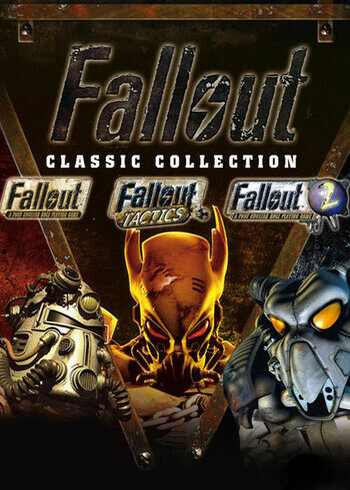
Fallout Classic Collection includes:
Fallout: A Post Nuclear Role Playing Game
Fallout Tactics: Brotherhood of Steel
Fallout 2: A Post Nuclear Role Playing Game
OS: Windows
Processor: Pentium 90Mhz or faster
Memory: 16 MB
Graphics: SVGA
DirectX®: Any DirectX
Hard Drive: 565 MB
Sound: DirectSound or SoundBlaster Compatible
Please follow these instructions to activate a new retail purchase on Steam:
1. Launch the Steam client software and log into your Steam account.
2. Click the Games Menu.
3. Choose Activate a Product on Steam...
4. Follow the onscreen instructions to complete the process.

| Price history for Buy Fallout Classic Collection Steam | |
|---|---|
|
Latest updates:
|
|
RELEASE DATE:
DEVELOPER:
PUBLISHER:
GENRE:
FOR AGES:
TAGS:
Fallout Classic Collection includes:
Fallout: A Post Nuclear Role Playing Game
Fallout Tactics: Brotherhood of Steel
Fallout 2: A Post Nuclear Role Playing Game
OS: Windows
Processor: Pentium 90Mhz or faster
Memory: 16 MB
Graphics: SVGA
DirectX®: Any DirectX
Hard Drive: 565 MB
Sound: DirectSound or SoundBlaster Compatible
Please follow these instructions to activate a new retail purchase on Steam:
1. Launch the Steam client software and log into your Steam account.
2. Click the Games Menu.
3. Choose Activate a Product on Steam...
4. Follow the onscreen instructions to complete the process.
Fallout Classic Collection includes:
Fallout: A Post Nuclear Role Playing Game
Fallout Tactics: Brotherhood of Steel
Fallout 2: A Post Nuclear Role Playing Game
OS: Windows
Processor: Pentium 90Mhz or faster
Memory: 16 MB
Graphics: SVGA
DirectX®: Any DirectX
Hard Drive: 565 MB
Sound: DirectSound or SoundBlaster Compatible
Please follow these instructions to activate a new retail purchase on Steam:
1. Launch the Steam client software and log into your Steam account.
2. Click the Games Menu.
3. Choose Activate a Product on Steam...
4. Follow the onscreen instructions to complete the process.
