

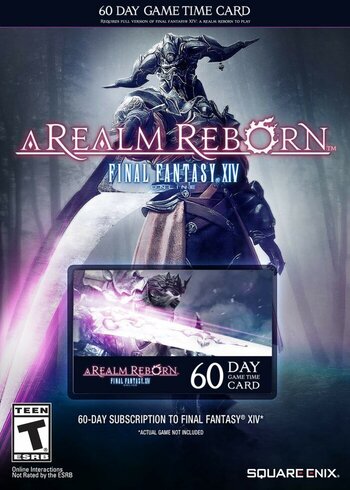
| Price history for Final Fantasy XIV: A Realm Reborn 60 Day Game Time Card Key EUROPE | |
|---|---|
|
Latest updates:
|
|
RELEASE DATE:
DEVELOPER:
PUBLISHER:
GENRE:
FOR AGES:
TAGS:

| Price history for Final Fantasy XIV: A Realm Reborn 60 Day Game Time Card Key EUROPE | |
|---|---|
|
Latest updates:
|
|

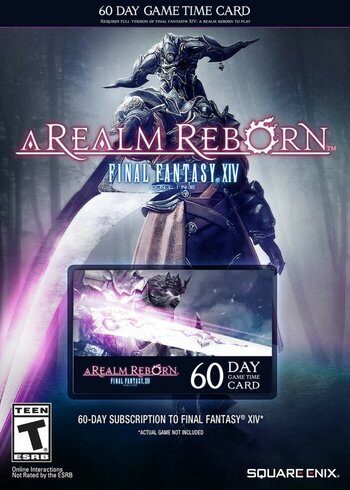
Timecards save you from the commitment of subscription but give all the same benefits. So, buy FFXIV 60-days time card and begin (or continue) your fight for the fate of Eorzea. Great adventure and equally as perilous danger await, and there’s no time like the present to give the world a hero it deserves.
MINIMUM:
RECOMMENDED:
Please follow these instructions to activate a new retail purchase on Steam:
1. Launch the Steam client software and log into your Steam account.
2. Click the Games Menu.
3. Choose Activate a Product on Steam...
4. Follow the onscreen instructions to complete the process.

| Price history for Final Fantasy XIV: A Realm Reborn 60 Day Game Time Card Key EUROPE | |
|---|---|
|
Latest updates:
|
|
RELEASE DATE:
DEVELOPER:
PUBLISHER:
GENRE:
FOR AGES:
TAGS:
Timecards save you from the commitment of subscription but give all the same benefits. So, buy FFXIV 60-days time card and begin (or continue) your fight for the fate of Eorzea. Great adventure and equally as perilous danger await, and there’s no time like the present to give the world a hero it deserves.
MINIMUM:
RECOMMENDED:
Please follow these instructions to activate a new retail purchase on Steam:
1. Launch the Steam client software and log into your Steam account.
2. Click the Games Menu.
3. Choose Activate a Product on Steam...
4. Follow the onscreen instructions to complete the process.
Timecards save you from the commitment of subscription but give all the same benefits. So, buy FFXIV 60-days time card and begin (or continue) your fight for the fate of Eorzea. Great adventure and equally as perilous danger await, and there’s no time like the present to give the world a hero it deserves.
MINIMUM:
RECOMMENDED:
Please follow these instructions to activate a new retail purchase on Steam:
1. Launch the Steam client software and log into your Steam account.
2. Click the Games Menu.
3. Choose Activate a Product on Steam...
4. Follow the onscreen instructions to complete the process.
