
| Price history for Buy Frostpunk 2 Steam | |
|---|---|
|
Latest updates:
|
|
RELEASE DATE:
DEVELOPER:
PUBLISHER:
GENRE:
FOR AGES:
TAGS:

| Price history for Buy Frostpunk 2 Steam | |
|---|---|
|
Latest updates:
|
|

RELEASE DATE:
DEVELOPER:
PUBLISHER:
GENRE:
FOR AGES:
TAGS:
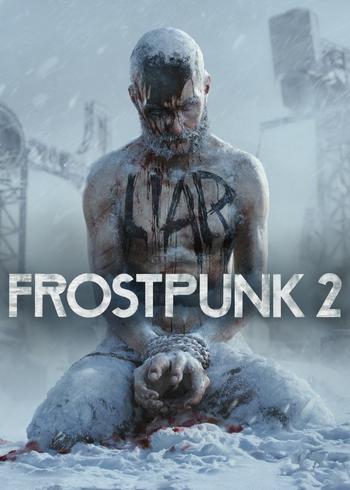
Frostpunk 2 is the sequel to the highly acclaimed, BAFTA-nominated society survival game that blended city building, strategy and management gameplay, creating a brand new genre. Its successor takes place 30 years after the apocalyptic blizzard storm, and Earth is still overwhelmed by the icy climate of neverending frost and harsh weather.
Please follow these instructions to activate a new retail purchase on Steam:
1. Launch the Steam client software and log into your Steam account.
2. Click the Games Menu.
3. Choose Activate a Product on Steam...
4. Follow the onscreen instructions to complete the process.

| Price history for Buy Frostpunk 2 Steam | |
|---|---|
|
Latest updates:
|
|
RELEASE DATE:
DEVELOPER:
PUBLISHER:
GENRE:
FOR AGES:
TAGS:
Frostpunk 2 is the sequel to the highly acclaimed, BAFTA-nominated society survival game that blended city building, strategy and management gameplay, creating a brand new genre. Its successor takes place 30 years after the apocalyptic blizzard storm, and Earth is still overwhelmed by the icy climate of neverending frost and harsh weather.
Please follow these instructions to activate a new retail purchase on Steam:
1. Launch the Steam client software and log into your Steam account.
2. Click the Games Menu.
3. Choose Activate a Product on Steam...
4. Follow the onscreen instructions to complete the process.
Frostpunk 2 is the sequel to the highly acclaimed, BAFTA-nominated society survival game that blended city building, strategy and management gameplay, creating a brand new genre. Its successor takes place 30 years after the apocalyptic blizzard storm, and Earth is still overwhelmed by the icy climate of neverending frost and harsh weather.
Please follow these instructions to activate a new retail purchase on Steam:
1. Launch the Steam client software and log into your Steam account.
2. Click the Games Menu.
3. Choose Activate a Product on Steam...
4. Follow the onscreen instructions to complete the process.
