RELEASE DATE:
DEVELOPER:
PUBLISHER:
GENRE:
FOR AGES:
TAGS:
RELEASE DATE:
DEVELOPER:
PUBLISHER:
GENRE:
FOR AGES:
TAGS:
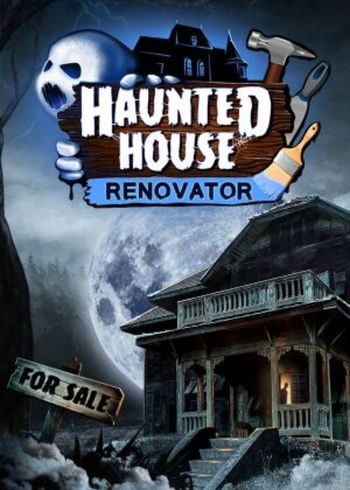
Set out on a path of a ghost-hunting renovator. Your task – restore haunted houses to a usable state! This is not an easy job, applying a new wallpaper won’t be enough to convince your customers that a house is safe. You also need to deal with whatever is haunting it.
TBA
Please follow these instructions to activate a new retail purchase on Steam:
1. Launch the Steam client software and log into your Steam account.
2. Click the Games Menu.
3. Choose Activate a Product on Steam...
4. Follow the onscreen instructions to complete the process.
RELEASE DATE:
DEVELOPER:
PUBLISHER:
GENRE:
FOR AGES:
TAGS:
Set out on a path of a ghost-hunting renovator. Your task – restore haunted houses to a usable state! This is not an easy job, applying a new wallpaper won’t be enough to convince your customers that a house is safe. You also need to deal with whatever is haunting it.
TBA
Please follow these instructions to activate a new retail purchase on Steam:
1. Launch the Steam client software and log into your Steam account.
2. Click the Games Menu.
3. Choose Activate a Product on Steam...
4. Follow the onscreen instructions to complete the process.

Set out on a path of a ghost-hunting renovator. Your task – restore haunted houses to a usable state! This is not an easy job, applying a new wallpaper won’t be enough to convince your customers that a house is safe. You also need to deal with whatever is haunting it.
TBA
Please follow these instructions to activate a new retail purchase on Steam:
1. Launch the Steam client software and log into your Steam account.
2. Click the Games Menu.
3. Choose Activate a Product on Steam...
4. Follow the onscreen instructions to complete the process.