RELEASE DATE:
DEVELOPER:
PUBLISHER:
GENRE:
FOR AGES:
TAGS:
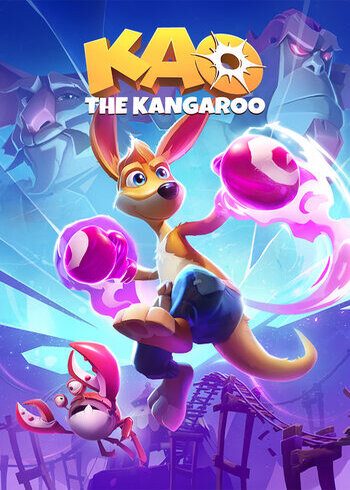
Kao The Kangaroo is a 3D platformer from veterans of the genre Tate Multimedia, featuring a plucky, cheeky but a cutie, Kao The Kangaroo (Hey, just like in the title!) on a quest to uncover the truth around the disappearance of his father.
Requires a 64-bit processor and operating system
OS: Win 10 or newer
Processor: i5 3300 3,20 GHz 4 cores/4 threads
Memory: 8 GB RAM
Graphics: GeForce GTX 760 2 gb
DirectX: Version 11
Storage: 9 GB available space
Please follow these instructions to activate a new retail purchase on Steam:
1. Launch the Steam client software and log into your Steam account.
2. Click the Games Menu.
3. Choose Activate a Product on Steam...
4. Follow the onscreen instructions to complete the process.
RELEASE DATE:
DEVELOPER:
PUBLISHER:
GENRE:
FOR AGES:
TAGS:
Kao The Kangaroo is a 3D platformer from veterans of the genre Tate Multimedia, featuring a plucky, cheeky but a cutie, Kao The Kangaroo (Hey, just like in the title!) on a quest to uncover the truth around the disappearance of his father.
Requires a 64-bit processor and operating system
OS: Win 10 or newer
Processor: i5 3300 3,20 GHz 4 cores/4 threads
Memory: 8 GB RAM
Graphics: GeForce GTX 760 2 gb
DirectX: Version 11
Storage: 9 GB available space
Please follow these instructions to activate a new retail purchase on Steam:
1. Launch the Steam client software and log into your Steam account.
2. Click the Games Menu.
3. Choose Activate a Product on Steam...
4. Follow the onscreen instructions to complete the process.

Kao The Kangaroo is a 3D platformer from veterans of the genre Tate Multimedia, featuring a plucky, cheeky but a cutie, Kao The Kangaroo (Hey, just like in the title!) on a quest to uncover the truth around the disappearance of his father.
Requires a 64-bit processor and operating system
OS: Win 10 or newer
Processor: i5 3300 3,20 GHz 4 cores/4 threads
Memory: 8 GB RAM
Graphics: GeForce GTX 760 2 gb
DirectX: Version 11
Storage: 9 GB available space
Please follow these instructions to activate a new retail purchase on Steam:
1. Launch the Steam client software and log into your Steam account.
2. Click the Games Menu.
3. Choose Activate a Product on Steam...
4. Follow the onscreen instructions to complete the process.