
RELEASE DATE:
DEVELOPER:
PUBLISHER:
GENRE:
FOR AGES:
TAGS:
RELEASE DATE:
DEVELOPER:
PUBLISHER:
GENRE:
FOR AGES:
TAGS:
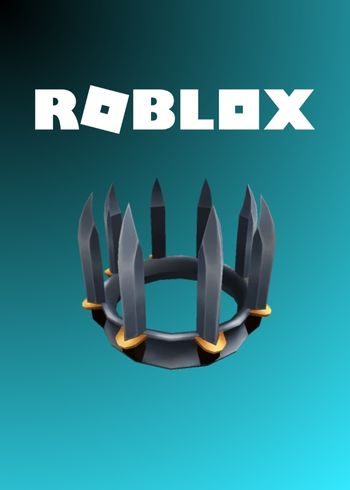
The Raven Hunter Hood is a limited hat accessory in Roblox, connected to the popular game Tower Defense Simulator. It is known for its dark and mysterious design, making it a favorite among players who enjoy stealth or hunter-style outfits.
The Raven Hunter Hood was officially released on September 14, 2022.
It was available as an Amazon Prime Gaming exclusive reward and could be redeemed until December 21, 2022.
After this date, the item could no longer be obtained, making it a rare and collectible accessory.
Type: Hat / Head accessory
Theme: Dark hood with a raven-inspired design
Game: Tower Defense Simulator
Availability: No longer obtainable, limited promo item
Favorites: Over 2,100 players have favorited this item
The Raven Hunter Hood is considered rare because it was locked behind a limited-time Prime Gaming promotion.
Its design gives avatars a stealthy and powerful look, making it stand out in the Roblox community.
Since it cannot be purchased with Robux in the Avatar Shop, owning the Raven Hunter Hood is a mark of exclusivity and style.
Please follow these instructions to activate a new retail purchase on Steam:
1. Launch the Steam client software and log into your Steam account.
2. Click the Games Menu.
3. Choose Activate a Product on Steam...
4. Follow the onscreen instructions to complete the process.
RELEASE DATE:
DEVELOPER:
PUBLISHER:
GENRE:
FOR AGES:
TAGS:
The Raven Hunter Hood is a limited hat accessory in Roblox, connected to the popular game Tower Defense Simulator. It is known for its dark and mysterious design, making it a favorite among players who enjoy stealth or hunter-style outfits.
The Raven Hunter Hood was officially released on September 14, 2022.
It was available as an Amazon Prime Gaming exclusive reward and could be redeemed until December 21, 2022.
After this date, the item could no longer be obtained, making it a rare and collectible accessory.
Type: Hat / Head accessory
Theme: Dark hood with a raven-inspired design
Game: Tower Defense Simulator
Availability: No longer obtainable, limited promo item
Favorites: Over 2,100 players have favorited this item
The Raven Hunter Hood is considered rare because it was locked behind a limited-time Prime Gaming promotion.
Its design gives avatars a stealthy and powerful look, making it stand out in the Roblox community.
Since it cannot be purchased with Robux in the Avatar Shop, owning the Raven Hunter Hood is a mark of exclusivity and style.
Please follow these instructions to activate a new retail purchase on Steam:
1. Launch the Steam client software and log into your Steam account.
2. Click the Games Menu.
3. Choose Activate a Product on Steam...
4. Follow the onscreen instructions to complete the process.
The Raven Hunter Hood is a limited hat accessory in Roblox, connected to the popular game Tower Defense Simulator. It is known for its dark and mysterious design, making it a favorite among players who enjoy stealth or hunter-style outfits.
The Raven Hunter Hood was officially released on September 14, 2022.
It was available as an Amazon Prime Gaming exclusive reward and could be redeemed until December 21, 2022.
After this date, the item could no longer be obtained, making it a rare and collectible accessory.
Type: Hat / Head accessory
Theme: Dark hood with a raven-inspired design
Game: Tower Defense Simulator
Availability: No longer obtainable, limited promo item
Favorites: Over 2,100 players have favorited this item
The Raven Hunter Hood is considered rare because it was locked behind a limited-time Prime Gaming promotion.
Its design gives avatars a stealthy and powerful look, making it stand out in the Roblox community.
Since it cannot be purchased with Robux in the Avatar Shop, owning the Raven Hunter Hood is a mark of exclusivity and style.
Please follow these instructions to activate a new retail purchase on Steam:
1. Launch the Steam client software and log into your Steam account.
2. Click the Games Menu.
3. Choose Activate a Product on Steam...
4. Follow the onscreen instructions to complete the process.